Wallet Cards | Digital Wallet
DOSA AppsTravel & Local
4.8215.00 Reviews
- Version
- 2.5.19.1
- Installs
- 1.00M
- Age Rating
- Everyone
Screenshots
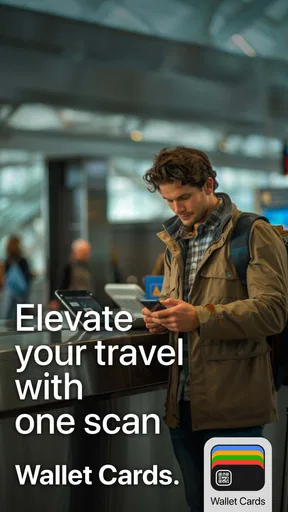
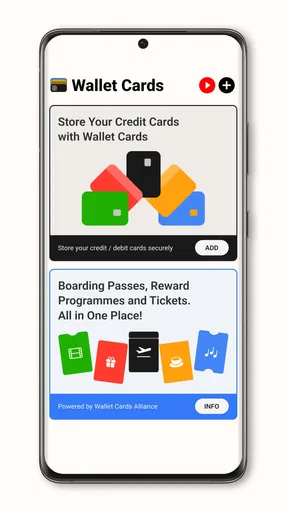
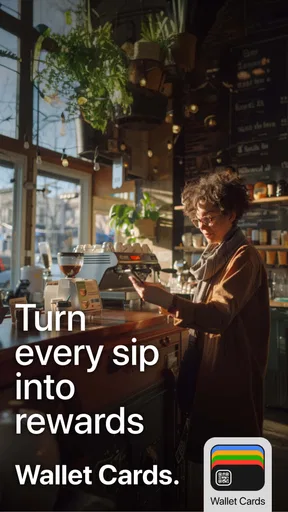
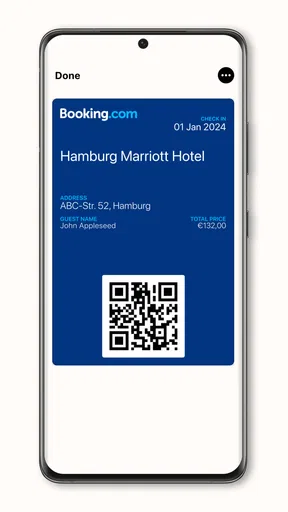
Our Review of Wallet Cards | Digital Wallet
 Analysis by Appyee
When I’m deciding whether a wallet app is worth keeping, I start with a simple question: does it make the cards I actually use easier to reach, without turning a small task into another system to manage? Wallet Cards | Digital Wallet is aimed at that everyday problem. It’s a free travel and local app from DOSA Apps for keeping digital cards together, and its appeal is clearest if you regularly switch between loyalty cards, coupons, or other cards you want close at hand.
What the free access means in practice
You can try the app without paying upfront. That makes it reasonable to see whether a digital collection fits your habits before deciding whether any optional purchase is worthwhile. In-app purchases range from $0.99 to $99.99 per item, so I would check the specific purchase details in the app rather than assume every paid option is a small add-on or that a particular feature is included for free.
That distinction matters: free access and paid value are not the same thing. I would begin with the basic card-organizing task and only consider spending if an option solves a problem I have actually encountered. If all you need is a place to keep a few scannable loyalty cards, paying more may not improve your routine. If you are considering a purchase, look closely at what it unlocks and whether you will use it repeatedly.
Where a digital card collection earns its place
The strongest case for this kind of app is not that it replaces every part of a wallet. It is that it can reduce the small delays of finding the right card. Think of a grocery checkout: you have a loyalty card to scan, a coupon to remember, and people waiting behind you. Keeping the relevant cards in one app can make that moment less awkward than searching through a physical stack or switching between unrelated screenshots.
I would also use a digital collection to sort cards by the situations in which I need them. A card used every week belongs near the top of my routine; a store card I use only occasionally can stay saved without taking up space in my physical wallet. That is a useful trade-off: digital storage can make rarely used cards easier to keep, but it can also leave you with a cluttered screen if you add everything and never remove anything.
How it compares with the options you already have
The usual alternative is carrying plastic cards, and that remains dependable when a cashier needs to scan a physical barcode or when your phone is unavailable. A phone’s built-in wallet is another natural choice, especially for people who already use it for supported passes and payments. Wallet Cards is more relevant when your goal is to gather assorted cards in one place rather than change how you pay for everything.
I would not treat the app as a replacement for a bank’s own app, a payment wallet, or a physical card that must be presented to complete a purchase. These tools solve different problems. A card organizer helps you find stored card details; a payment service handles transactions; and a retailer’s own app may be the better place for account-specific offers or current membership information. Choosing between them depends on what you need at the checkout, not on which one claims to hold the most.
A practical routine that avoids digital clutter
When adding cards, I would start with the ones I use most, then test the process at a calm moment rather than waiting until a busy checkout. That gives me time to check whether each stored card is recognizable and usable for my purpose. I would keep the physical version of any card I cannot afford to be without until I have personally confirmed that the digital copy works where I shop.
A small amount of organization also pays off. I would use consistent names for cards that look similar, remove expired or duplicate entries when I notice them, and avoid treating the app as an archive for every card I have ever received. This is less about a hidden feature than a useful habit: a short, familiar list is faster to navigate than a complete but neglected collection.
Who is likely to get value from it
I can see this working well for someone who carries several loyalty cards, often forgets coupons, or wants to lighten a bulky wallet without giving up access to the cards they use in shops. It may also suit a person who prefers keeping occasional-use cards available on a phone rather than carrying them every day. The app is free to start, and it is rated for Everyone, so its basic proposition is easy to consider across a broad range of everyday users.
I would skip it if you rarely use membership cards, already have a simple setup that works, or expect it to replace contactless payments and every retailer’s own service. I would also be cautious if you do not like handling sensitive card information on a phone. Before adding anything personal, decide which cards you genuinely need digitally and review the app’s current privacy and security details for yourself.
The app has a 4.0 average from around 6,300 ratings, with more than 200 written reviews, and has passed a million installs. Those figures suggest that many people have tried it, but they do not tell me whether it will suit my own card mix. I would treat them as context, then judge the app by whether it makes my routine quicker and whether the purchase options, if I encounter them, feel worth paying for.
It was released on January 14, 2021, and version 2.5.15 is listed as the current version. The minimum Android requirement is version 5.0. If your phone meets that requirement, the key decision is still practical: can you reliably retrieve the cards you care about, and does doing so feel easier than your current method?
Why Wallet Cards | Digital Wallet Stands Out
First things first, setting up the Wallet Cards | Digital Wallet was a breeze. I simply downloaded it from the app store and within minutes, I was uploading my cards. It's like magic – you just scan or manually enter your card details, and voilà, they’re stored digitally.
Sleek Design and User-Friendly Interface
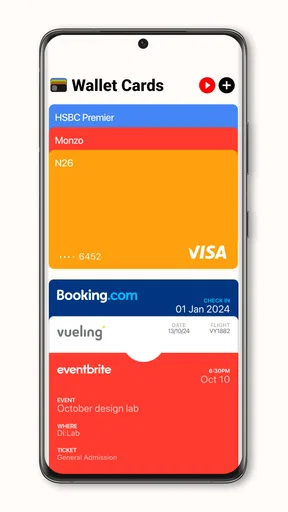
The app’s design is sleek and intuitive. Everything is organized in a way that makes sense – your cards, your transactions, and even reminders for due dates. No more fumbling through a stack of cards at the checkout; I just tap on the card I need, and it’s ready to go.
Plus, the app supports a wide variety of card types. Whether it’s loyalty cards, credit cards, or even gift cards, Wallet Cards | Digital Wallet handles them all. The developers really thought of everything.
Security Features That Give Peace of Mind
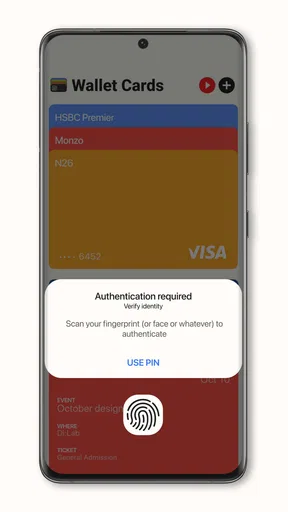
Now, I know what you might be thinking: is it safe? In today’s world, security is everything, and this app delivers. It uses top-notch encryption to protect your data, and you can even secure it with a fingerprint or face ID. It’s like having a vault in your pocket.
Moreover, the app notifies you of any suspicious activity, keeping you informed and secure. It’s comforting knowing that your information is being vigilantly monitored.
Convenience at Your Fingertips
Convenience is where Wallet Cards | Digital Wallet really shines. I love the ability to manage my cards without carrying a physical wallet. I can even add reminders for payment due dates, so I never miss a deadline. It’s like having a personal financial assistant that never takes a day off.
And let's not forget about the rewards! With all my loyalty cards in one place, I’m making the most of every purchase, collecting points, and redeeming rewards effortlessly.
Integration with Other Apps
The app doesn’t just stop at storing cards; it integrates seamlessly with other financial apps, making budgeting and tracking expenses a breeze. It’s like creating a financial ecosystem on my phone, and honestly, I’m all about that life.
With just a few taps, I can sync my transactions with budgeting apps, ensuring I’m always on top of my spending. It’s a game-changer for anyone looking to streamline their finances.
A Few Things to Consider
While Wallet Cards | Digital Wallet is packed with features, there are a few quirks. Occasionally, the app might lag when loading numerous cards, especially if your phone’s memory is stretched thin. But, honestly, this is a small price to pay for the convenience it offers.
Another thing to keep in mind is that while the app is free, some premium features do require a subscription. However, the basic functionalities are more than sufficient for most users.
Final Thoughts
All in all, Wallet Cards | Digital Wallet is a fantastic app that simplifies life. It’s perfect for those of us who want to keep everything organized and secure without the bulk of a physical wallet. The convenience and security it offers make it a must-have in the digital age.
If you’re looking to declutter and streamline your financial life, give Wallet Cards | Digital Wallet a try. It might just become your new best friend in the palm of your hand.
Verdict
Strengths of Wallet Cards | Digital Wallet
- Easy setup and intuitive interface.
- Supports multiple card types.
- Secure encryption for data safety.
- Quick card access with one tap.
- Customizable card organization.
Limitations of Wallet Cards | Digital Wallet
- Limited integration with banks.
- Requires frequent updates.
- Occasional app crashes reported.
- No offline mode available.
- Ads in free version can be intrusive.
Other Releases by DOSA Apps
View All
Cube Cipher - Cube Solver
Educational4.5

Recover Deleted Photos App
Photography4.4

Cleanup Your Phone
Personalization4.5

Microphone Amplifier
Medical4.2
Similar Picks in This Category
View All
Google Maps
Google LLC3.4

Google Maps Go
Google LLC4.1

Booking.com: Hotels & Travel
Booking.com Hotels & Vacation Rentals4.8

Google Earth
Google LLC3.8

Skyscanner Flights Hotels Cars
Skyscanner Ltd4.8

trivago: Compare hotel prices
trivago N.V.4.4
Frequently Asked Questions
What is Wallet Cards | Digital Wallet and how does it work?
Wallet Cards | Digital Wallet is a mobile application that allows you to store all your cards digitally, including credit, debit, loyalty, and membership cards. The app uses secure encryption to keep your information safe and offers easy access to your cards whenever needed. Simply scan or input your card details, and they’re ready for use.
Is Wallet Cards | Digital Wallet secure for storing financial information?
Yes, Wallet Cards | Digital Wallet employs advanced encryption methods to ensure that your financial information is protected. The app uses secure authentication processes, like biometrics or PIN codes, to restrict unauthorized access, providing peace of mind when storing sensitive card details on your device.
Can I use Wallet Cards | Digital Wallet offline?
While you can access your stored card information offline, certain features, such as updating card details or syncing with other devices, require an internet connection. However, the core functionality of displaying your card information for in-person transactions is available offline.
What devices are compatible with Wallet Cards | Digital Wallet?
Wallet Cards | Digital Wallet is available for both Android and iOS devices. It is compatible with most smartphones and tablets running on recent operating systems. Ensure your device meets the minimum system requirements by checking the app store listing before downloading.
Are there any fees associated with using Wallet Cards | Digital Wallet?
Wallet Cards | Digital Wallet offers a free version with essential features. However, there may be premium features available through a subscription or one-time purchase, such as advanced security options or additional storage capacity. Check the app’s pricing details in the app store for more information.
